
|
But before asking us, please look for your answer here:
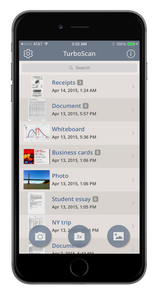
How do I make sure I don't lose my stored scans if my phone is upgraded, lost or broken? Although your scans are usually backed up by iOS by default, you can periodically (just in case) back up your storage to iCloud Drive inside TurboScan - just tap Settings > Backup & Restore. You can also transfer your scans to another device using that feature (use restore on another device like iPad etc.) |
|
TurboScan asks me to pay again after I purchased it before.
You may need to download the paid Pro version instead or press Settings and select Restore Purchase.
The app won't send emails.
TurboScan sends docs via the standard Mail app. It your emails aren't coming through or are delayed, you can try to reset your active email account in the Settings App > Apps > Mail > Mail Accounts.
My app is crashing.
Please restart your iPhone.
Where is the AirDrop function in TurboScan?
Just tap “Open in../Share” in the Send menu to expose AirDrop.
Can I reinstall TurboScan to fix its issues?
Usually reinstalling is not helpful. If you still want to try, note that you'll lose your stored scans if you delete the app. To back them up, tap Settings > Backup & Restore.
Can I send faxes?
Yes, just press Turbo Fax in the Send menu and it'll take you to our dedicated Turbo Fax app in the App Store.
How can I print on a non-AirPrint printer?
Please download an app that supports your printer (like HP ePrint, Brother iPrint, etc.). Then use the “Open in../Share” button in TurboScan to send your PDF scans there.
Can I open my scans as JPEGs in other apps?
Yes, just press “Open JPEG in...” in the Send menu.
How do I add pages to existing scans?
Just press the "+Page" button at the bottom of the document view screen.
Is there TurboScan for Android?
Yes, there is TurboScan for Android.
You may need to download the paid Pro version instead or press Settings and select Restore Purchase.
The app won't send emails.
TurboScan sends docs via the standard Mail app. It your emails aren't coming through or are delayed, you can try to reset your active email account in the Settings App > Apps > Mail > Mail Accounts.
My app is crashing.
Please restart your iPhone.
Where is the AirDrop function in TurboScan?
Just tap “Open in../Share” in the Send menu to expose AirDrop.
Can I reinstall TurboScan to fix its issues?
Usually reinstalling is not helpful. If you still want to try, note that you'll lose your stored scans if you delete the app. To back them up, tap Settings > Backup & Restore.
Can I send faxes?
Yes, just press Turbo Fax in the Send menu and it'll take you to our dedicated Turbo Fax app in the App Store.
How can I print on a non-AirPrint printer?
Please download an app that supports your printer (like HP ePrint, Brother iPrint, etc.). Then use the “Open in../Share” button in TurboScan to send your PDF scans there.
Can I open my scans as JPEGs in other apps?
Yes, just press “Open JPEG in...” in the Send menu.
How do I add pages to existing scans?
Just press the "+Page" button at the bottom of the document view screen.
Is there TurboScan for Android?
Yes, there is TurboScan for Android.
|
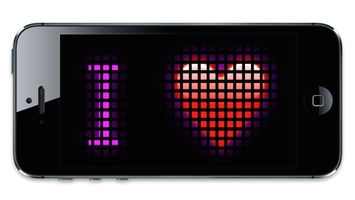
App we love: ScrollIt! We use ScrollIt to display fun scrolling messages or greetings to the people around. Try it, too: it's free. Click on the image to download. |
|
Thank you!